

Get evaluation answer
To obtain an evaluation answer, follow these steps:
1 Get the URL from the third-party evaluation page, similar to the example below:
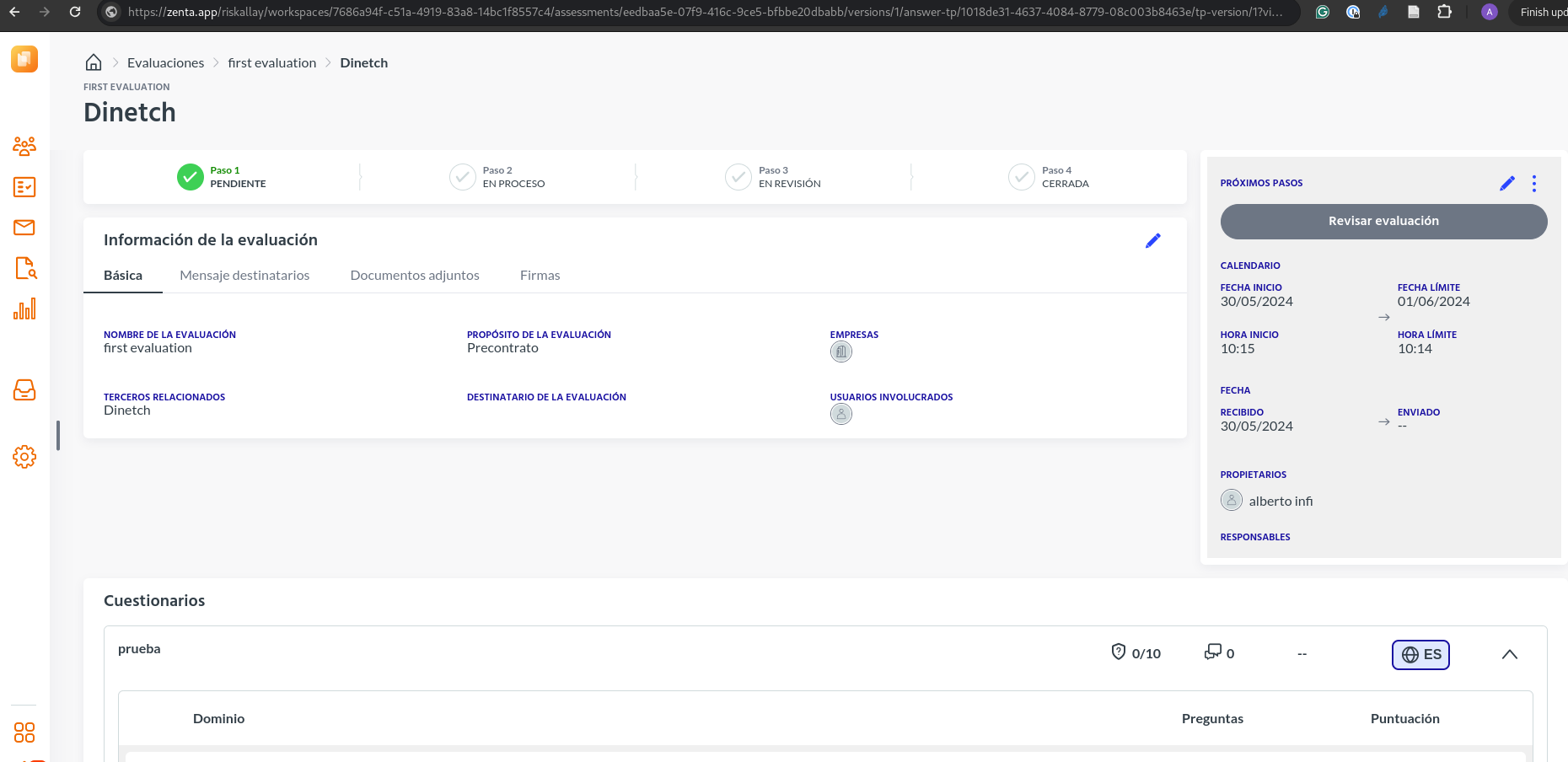
2 Extract the required parameters from the URL:
assesment:eedbaa5e-07f9-416c-9ce5-bfbbe20dbabb
assesment_version:1
third_party:1018de31-4637-4084-8779-08c003b8463e
third_party_version:1
3 Use these parameters to get the evaluation answer
Use these parameters to get the evaluation answer following the recipe provided in the documentation:
Updated over 2 years ago
Did this page help you?